FHSWMAIN - Main Menu form for FHSWIN
The "Main Menu" is the first form displayed and the one from which other FHSWIN programs are invoked.
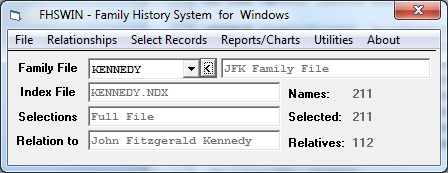
This form has two parts, an "Option Menu" and an area in which certain information is displayed.
Option Menu for FHSWMAIN
The "Option Menu" appears on the first line of the form, below the header. It consists of a series of words describing the option choices. The choices in the "Option Menu" are:
- "File" - which is intended to provide some standard types of "File" selections, including the calling of the file update program. The options are:
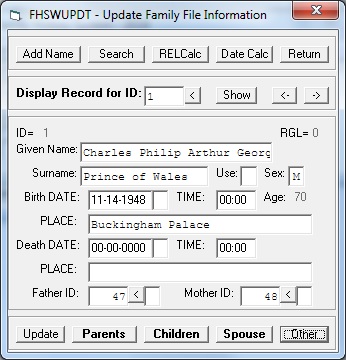
- "Update Family Information" - which calls form FHSWUPDT to display/enter/modify information in your family file
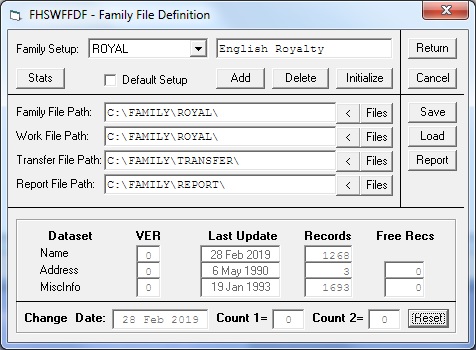
- "Family File Setup" which allows you to customize the Family Setup Table using form FHSWFFDF
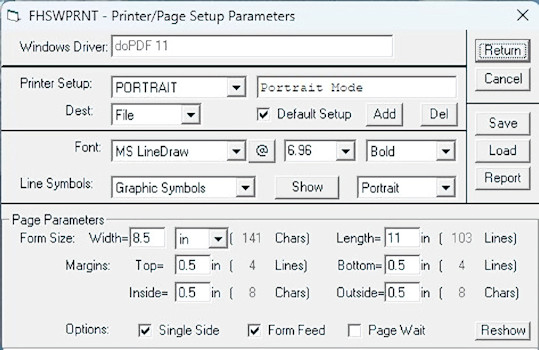
- "Printer/Page Setup" which calls form FHSWPRNT to customize the Printer Definition File,
- "Exit" which terminates the program
- "Relationships" - which controls the relationships that appear in form FHSWLIST.
- "Selection Records" - which provides options for changing the current "Selection List"
- "Reports/Charts" - which provides options for printing reports and charts that are currently offered under Main Menu option F2 of the Sept 97 update of FHS
- "Utilities" - which provides options for invoking utility programs that have previously been available under Main Menu option F3 of the Sept 97 update of FHS. These include:
- "Customization" - which provides options for displaying/modifying system Configuration Parameters, System Tables, and System Messages;
- "Export/Import" - which provides access to the GEDCOM Export/Import program and the MailMerge Export program;
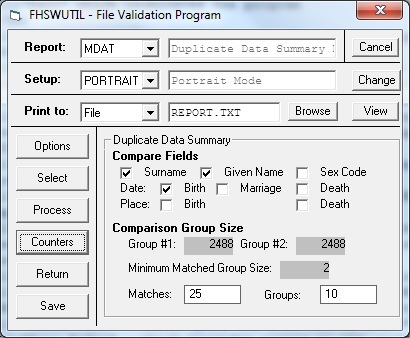
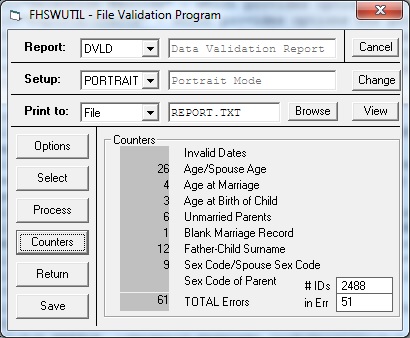
- "Family File Validation" - which provides options for checking the internal "Pointer" fields, for checking for "Duplicate Data" records, and for performing some "consistency checks" on "Family Data";
- "Conversions" - of family file to support for "Long Addresses" or "Long Place Names";
- "Calculator" - which provides access to the Date Calculator and Relationship Calculator functions;
- "Index File" - which opens the form for Index File Creation; and
- "Tiny Tafel" - which provides access to the utility for printing Tiny Tafel reports.
- "About" - which provides options for viewing information about FHSWIN, including:
- "Version" - which shows the most recent "Update" or modification level of FHSWIN
- "Help" - which provides 3 additional sources of information:
- "Manual" - which opens the Manual for the Sept 97 update of FHS;
- "FORMS" - which opens a web format description of the display forms used in FHSWIN;
- "REPORTS" - which provides some "sample reports" for viewing, and
- "WWW" - which opens the FHSW2018 web site

Information Area of FHSWMAIN
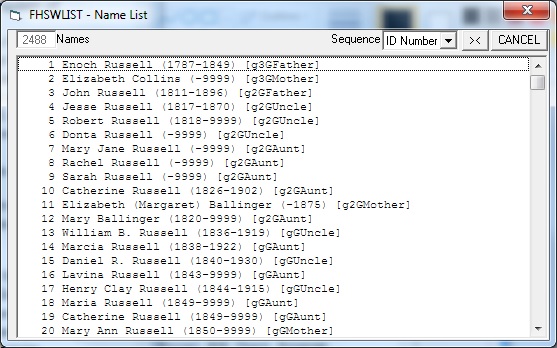
The first line of the "information area" identifies the current family file by 8 character name and descriptive label as found in the family definition file (FHSFILES.FDF). Clicking on the 8 character name opens a list of other "family file setups" that have been entered into the .FDF file. You can switch family files by selecting another name in the list. When a family file is selected, the program attempts to open the file and, if successful, displays the number of name records in the lower right portion of the form. If the file cannot be opened, then items in the "Option Menu" that require a family file will be "greyed out", indicating that they are disabled. To the right of the 8 character family file identifier is a button with the label "<". Clicking this button calls the FHSWLIST form to display a list of names from the family file.
The Second line of the information area identifies the current "Index File" and is currently "greyed" out because index files are not yet a part of FHSWIN....Index files and options that use them will continue to be reserved for the registered version of the software.
The third line of the information area is labeled "Selections" and identifies the manner in which the current "selection list" was created. When a family file is first chosen, the selection type is "Full File" but other types of selection are "Ancestor", "Descendant", "Relative", "Select File", and "Search". The type of "Selections" is changed through the "Select Records" item of the "Option Menu" or by selections made from form FHSWRPT. The number of records in the current selection list is shown in the lower right portion of the form following the label "Selected:".
The last line of the information area is labeled "Relation to:" and identifies the individual on whom relationships are based that can optionally appear with the names shown in form FHSWLIST. These relationships are controlled by the "Relationships" item in the "Option Menu". The number of related individuals is shown in the lower right portion of the screen following the label "Relatives:".